The Team Events setup allows not only the Tournament Owner the ability to enter scores, but the listed Team Captains and Managers as well.
As a team Captain or Manager, you can enter scores by:
Sign into your pickleball.com account, and access your tournament under your listed "my tournaments" tab.
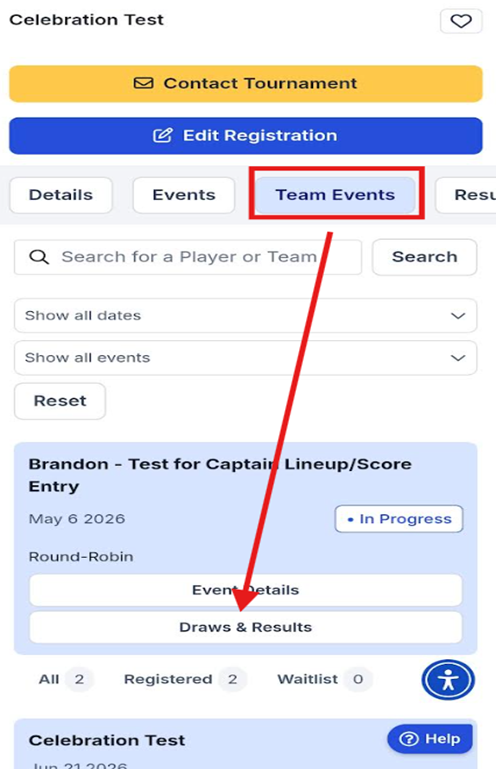
Once on the tournament listing, select the "Team Events" tab and select the "Draws and Results" tab:
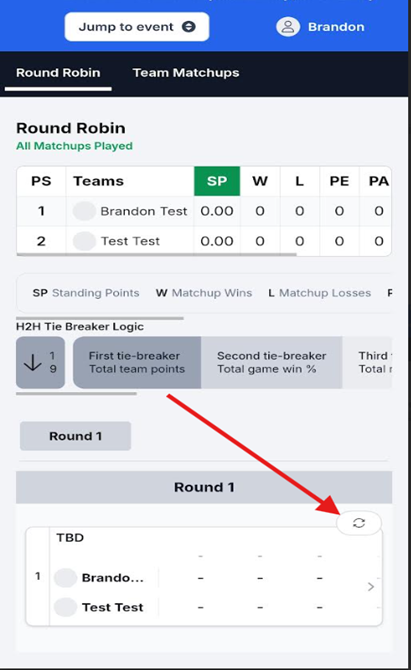
Now locate the matchup you wish to access and use the tab in the upper right corner of the matchup to access the "See Matchup" option:
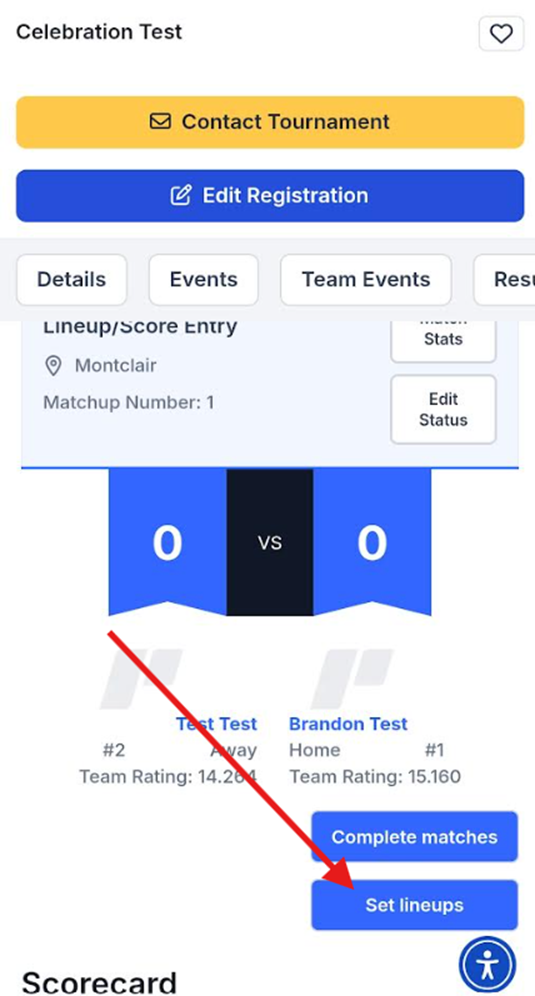
Once into the actual matchup, use the "set lineups" tab to access each match and set your teams lineup. Once done, be sure to save each matchup and you are all set.
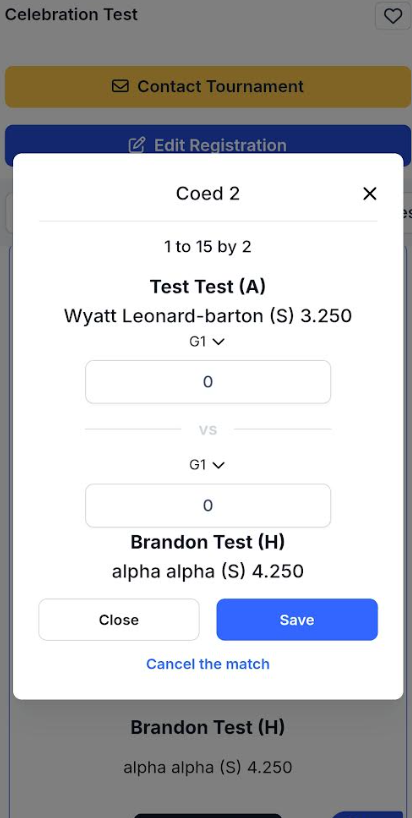
After Lineups are set, entering scores is easy. Just repeat the above process but instead of select the "set lineups" tab, just navigate and click directly on the matchup you wish to enter the score for. A score entry box will appear. Just enter your score and save and you are done:
Was this article helpful?
That’s Great!
Thank you for your feedback
Sorry! We couldn't be helpful
Thank you for your feedback
Feedback sent
We appreciate your effort and will try to fix the article